

主题
Cursor
配置模型
获取API Key
https://api.wow3.top/console/token
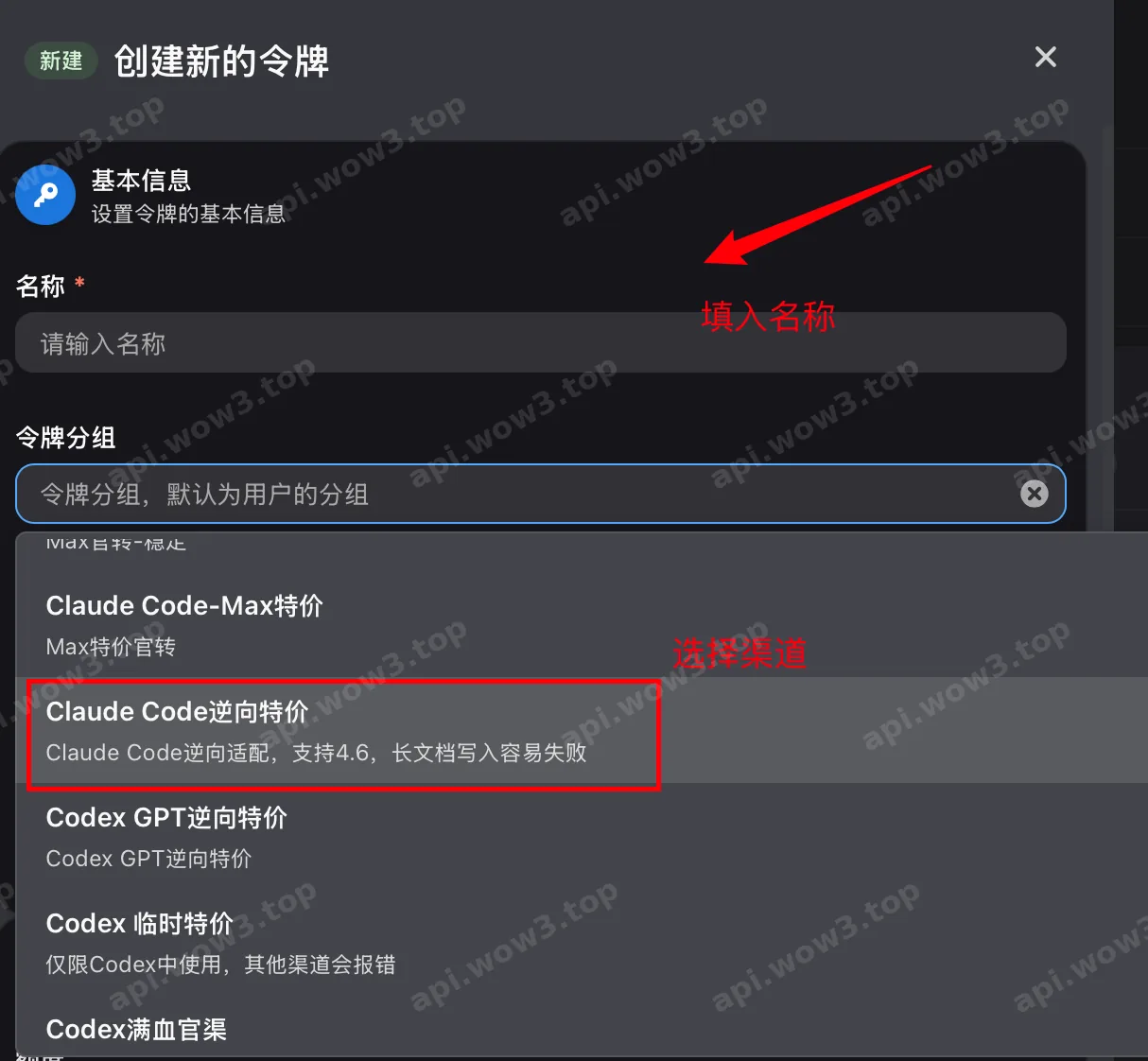
获取模型
- 对于claude模型
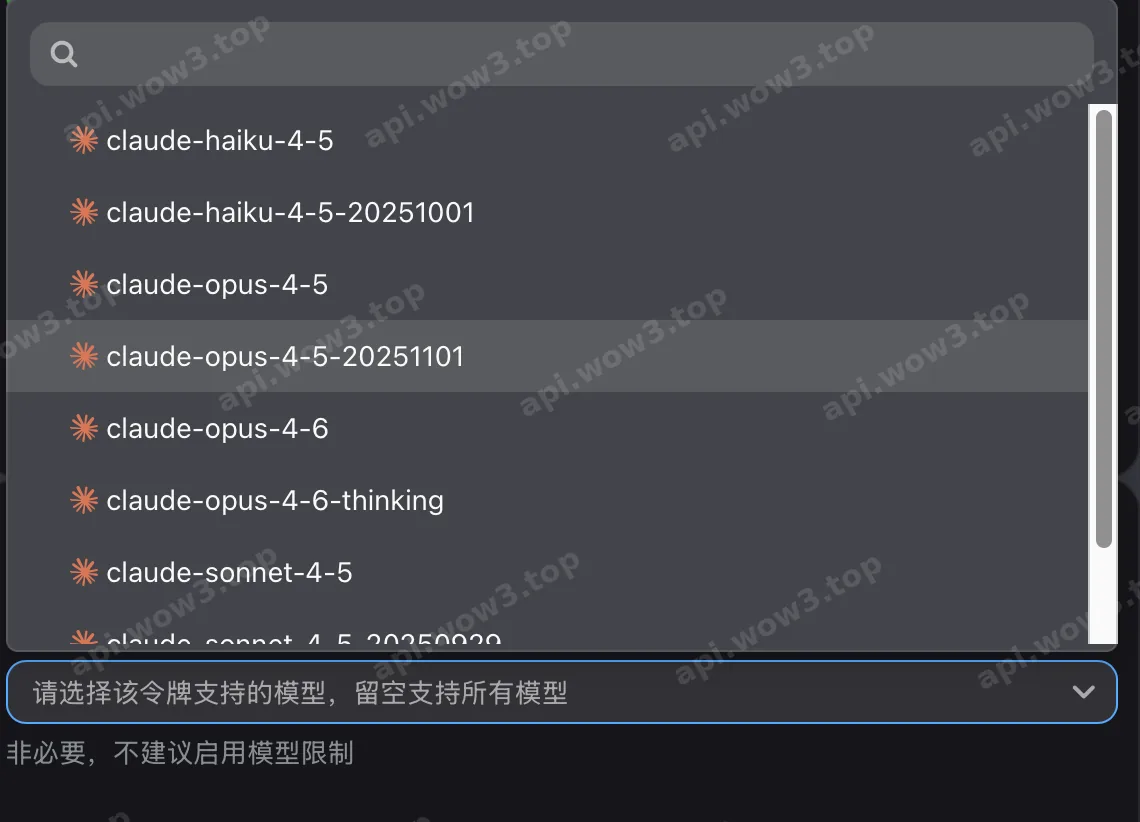
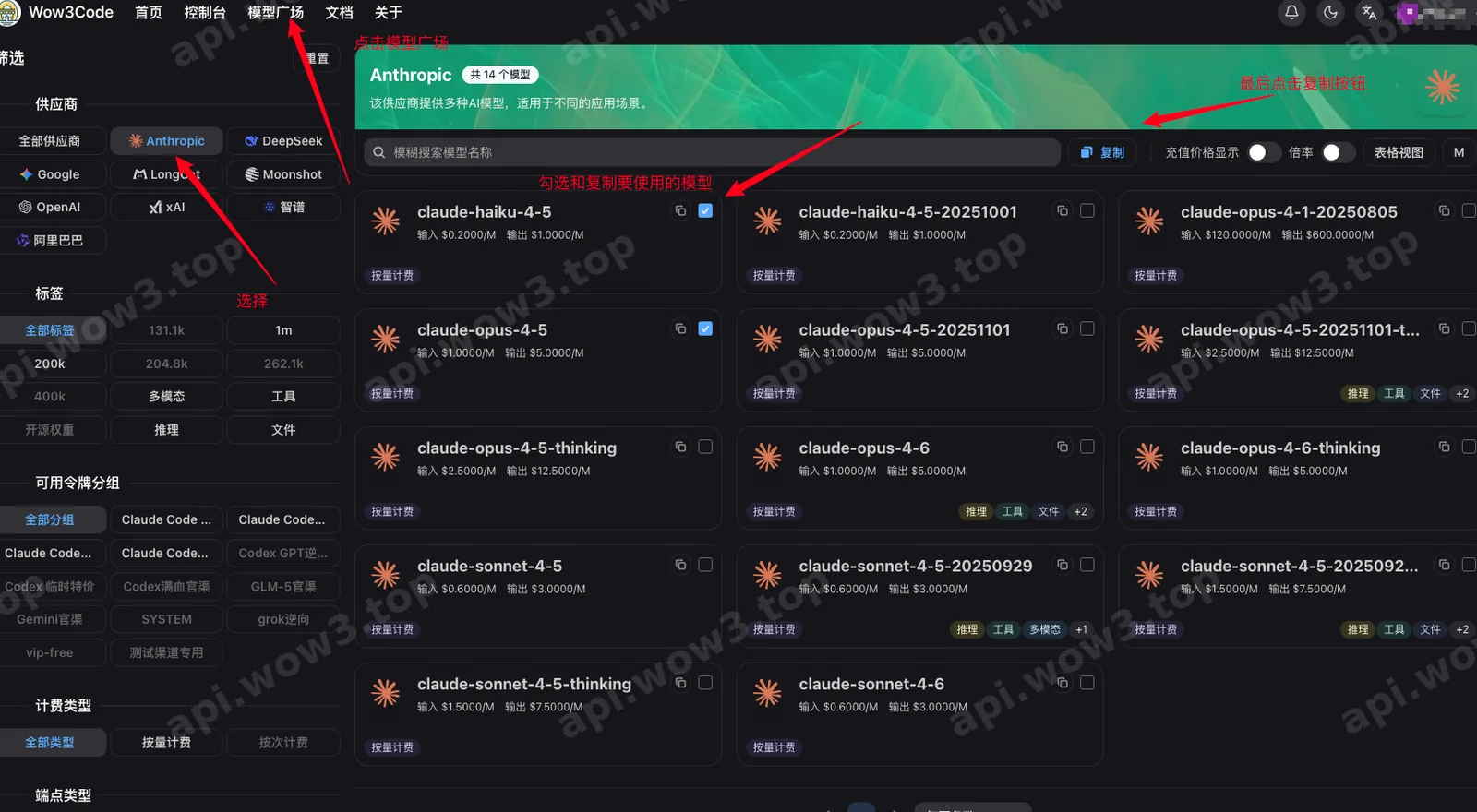
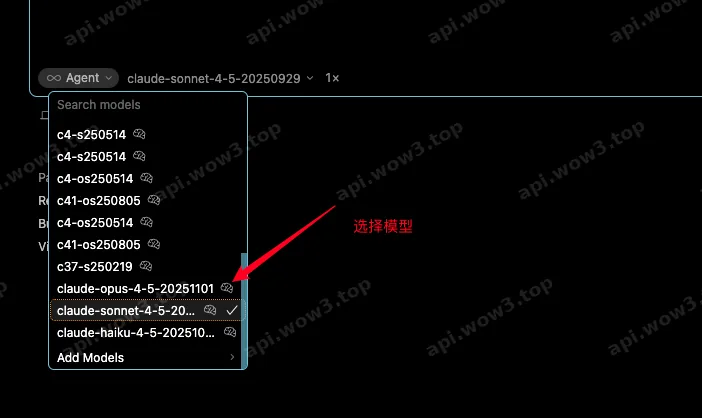
可使用的模型,必须用下面带日期后缀或者带[cc]前缀的模型,不然cursor不识别:
Shell
claude-haiku-4-5-20251001
claude-opus-4-5-20251101
claude-opus-4-6-thinking-20260205
claude-opus-4-6-20260205
claude-sonnet-4-5-20250929
claude-sonnet-4-6-20260217

[cc]claude-opus-4-6
[cc]claude-opus-4-7
[cc]claude-opus-4-8
[cc]claude-opus-5
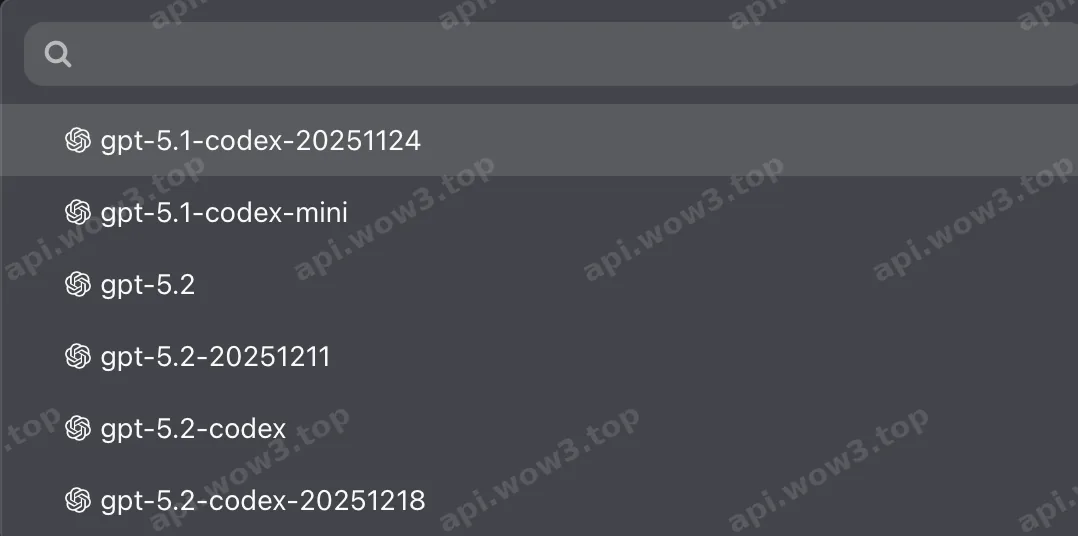
...等等- 对应GPT模型
- 模型分组,选择 Codex Pro, Codex Pro企业分组
Shell
gpt-5.5
gpt-5.6-sol
gpt-6-astra
填入Key
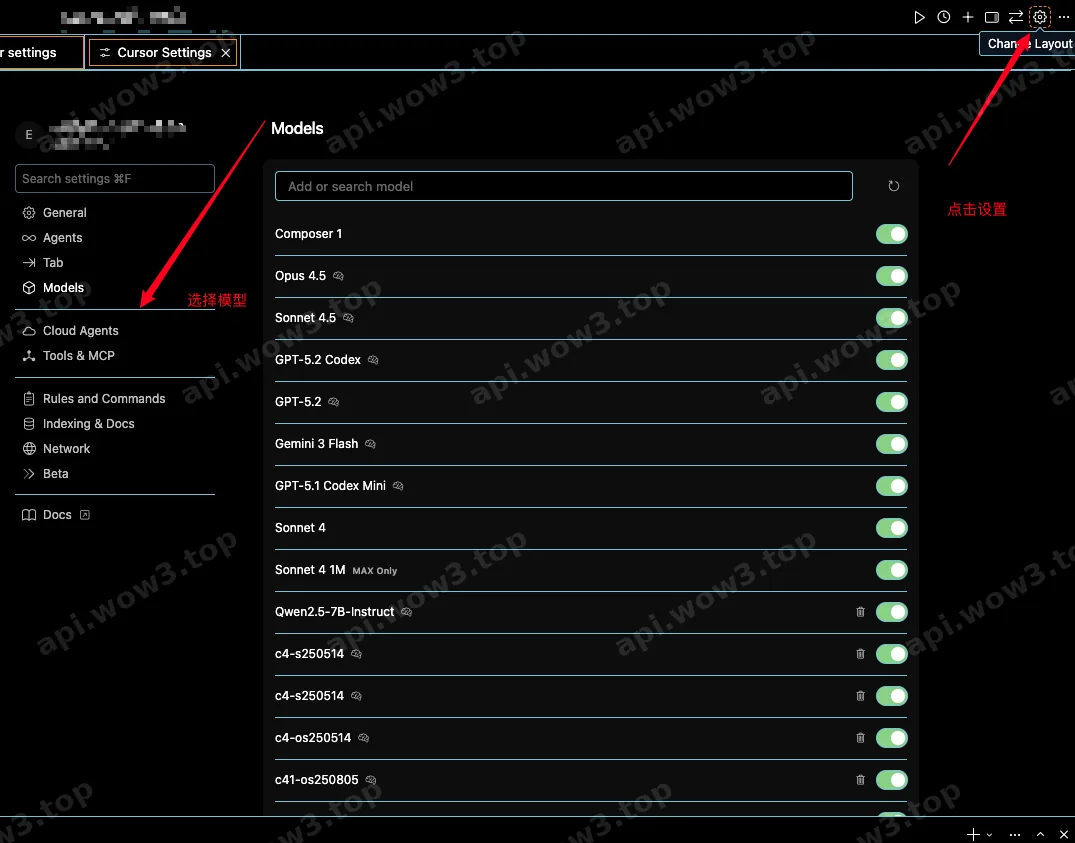
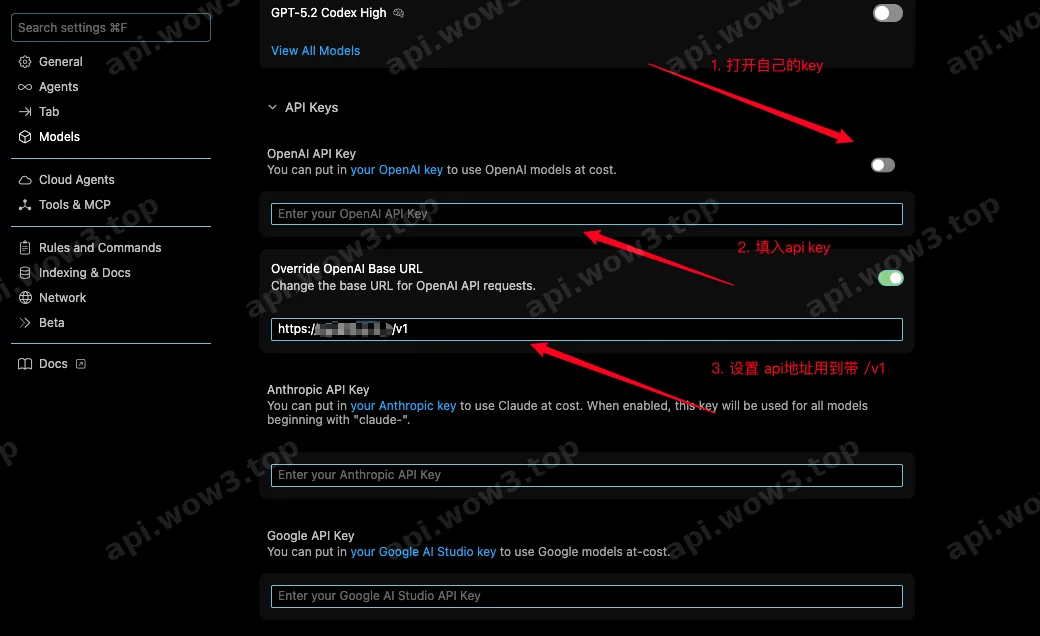
填入模型

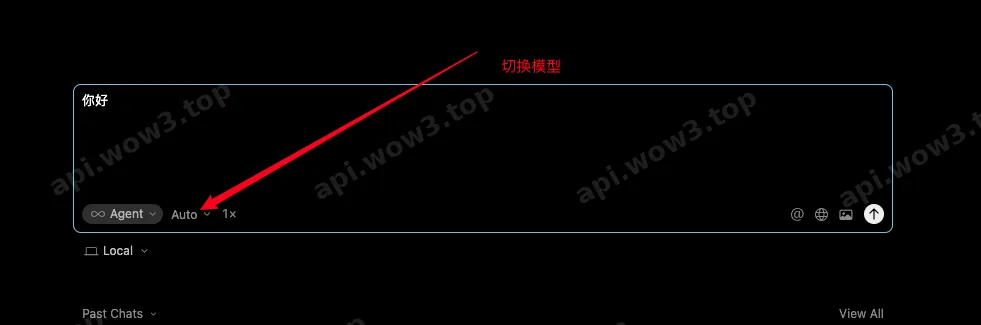
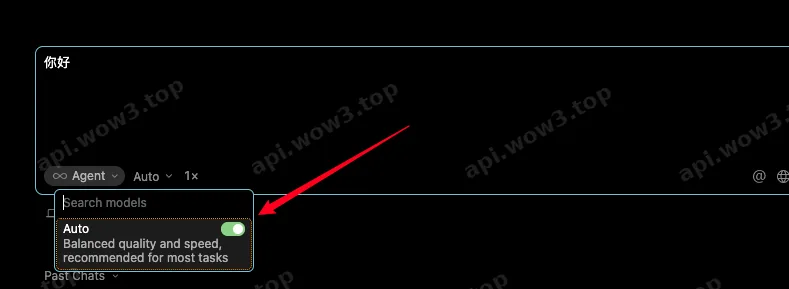
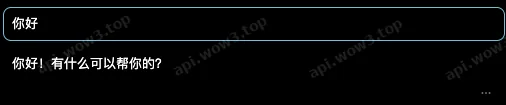
选择模型开始使用

Cursor Codex插件
需要在cursor中连接使用的,一定需要先在终端中设置好并且测试没有问题后再连接cursor!!
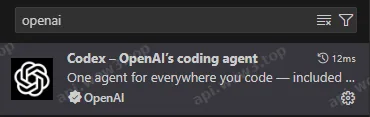
先下载官方的 codex 插件,切记官方的 codex 插件,只有带 openai 认证的才是!!如图所示:
然后打开左上角的File(文件)点击perferences(首选项)点击VScode settings(设置)然后搜索settings
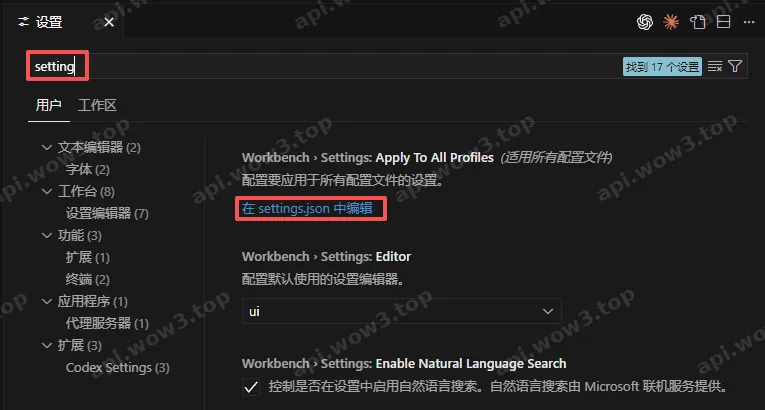
点击在settings.json 中编辑,在 json 最下面加上以下内容:
JSON
"chatgpt.apiBase": "https://cc.585dg.com",
  "chatgpt.config": {
    "preferred_auth_method":"apikey",
    "model":"gpt-5",
    "model_reasoning_effort":"high",
    "wire_api":"responses"
  }
保存之后重启 cursor,即可开始重新使用
相关bug
codex链接超时提示
遇到下面的提示,这种一般是超过记忆长度了,新建聊天试试
stream error: stream disconnected before completion: Transport error: error decoding response body; retrying 1/5 in 197ms… 这个提示,
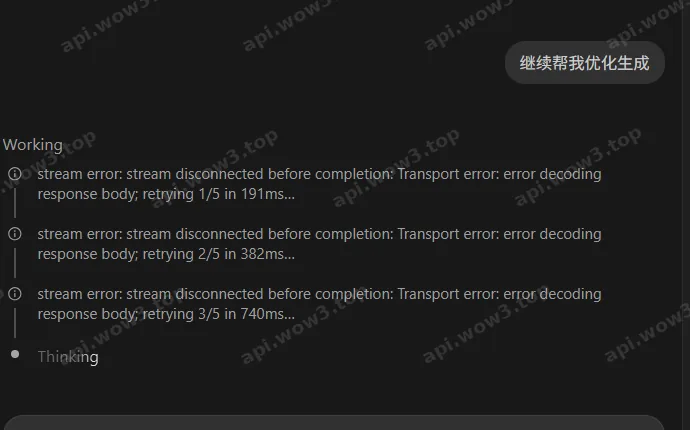
codex插件一直转圈

是 openai 自己的 bug。
目前解决方案,在转圈的时候点击右上角的 “历史记录” 图标(在开启新会话图标的右边)