

主题
Claude Code中使用
Claude Code安装
前置条件,安装nodejs,git
使用NPM安装
Go
npm install -g @anthropic-ai/claude-code --registry=https://registry.npmmirror.com/安装完成后,验证一下
Go
claude --version如果显示版本号,说明安装成功!
Claude Code启动常见问题
Failed to connect to api.anthropic.com: ERR_BAD_REQUEST Claude Code might not be available in your country. 提示启动要登录
使用npm安装完claude之后。
在命令行输入claude报了如下错误:
Unable to connect to Anthropic services
Failed to connect to api.anthropic.com: ERR BAD REQUEST
lease check your internet connection and network settings.
Note: Claude Code might not be available in your country, Check supported countries atnttps://anthropic.com/supported-countriesS E:ltoollclaude code>
mac和Linux用户在~目录找到.claude.json
windows用户在C:\Users\用户名.claude.json
修改如下,在最后添加 "hasCompletedOnboarding": true
JSON
{
  "installMethod": "unknown",
  "autoUpdates": true,
  "firstStartTime": "2025-07-14T06:11:03.877Z",
  "userID": "f5afdd05117c901a4a5a0761d08230bfcbb76f9fd380ff7bc144cc12c52e55aa",
  "projects": {
    "/home/nassi": {
      "allowedTools": [],
      "history": [],
      "mcpContextUris": [],
      "mcpServers": {},
      "enabledMcpjsonServers": [],
      "disabledMcpjsonServers": [],
      "hasTrustDialogAccepted": false,
      "projectOnboardingSeenCount": 0,
      "hasClaudeMdExternalIncludesApproved": false,
      "hasClaudeMdExternalIncludesWarningShown": false
    }
  },  //这里要加逗号,注意英文的
  "hasCompletedOnboarding": true  // 新增字段放在这里,注意位置
}- 使用过程中连接不上 API Error:Unable to connect to API (ENOTFOUND)
可以切换cc-switch中的
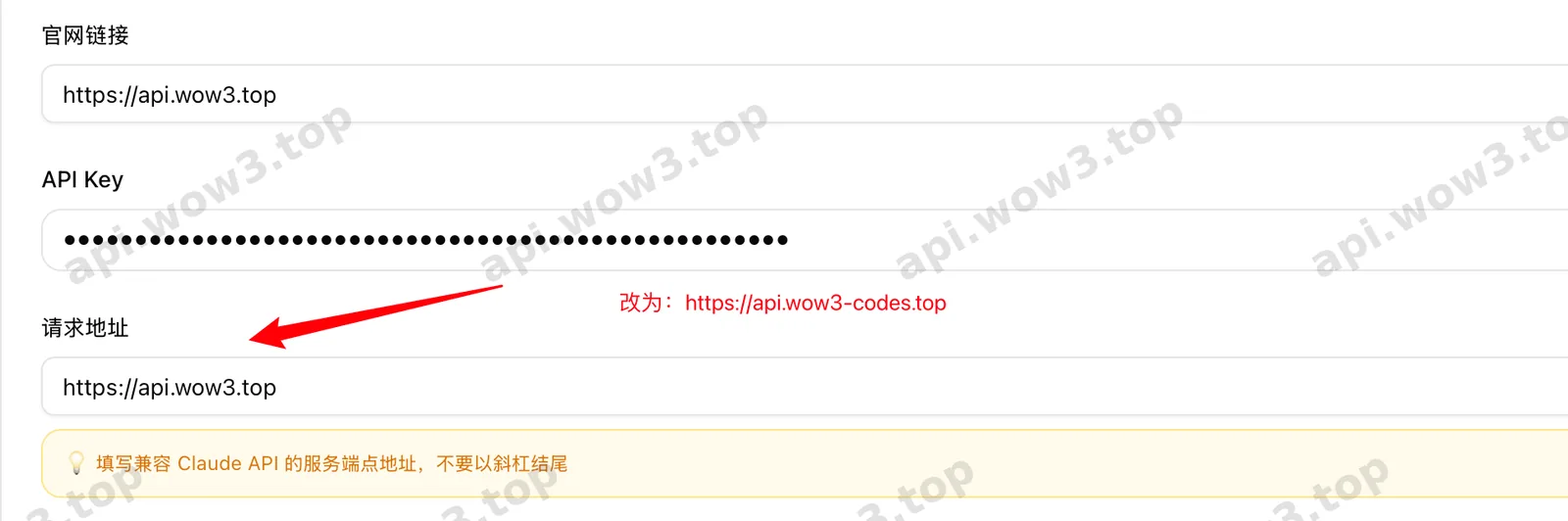
Shell
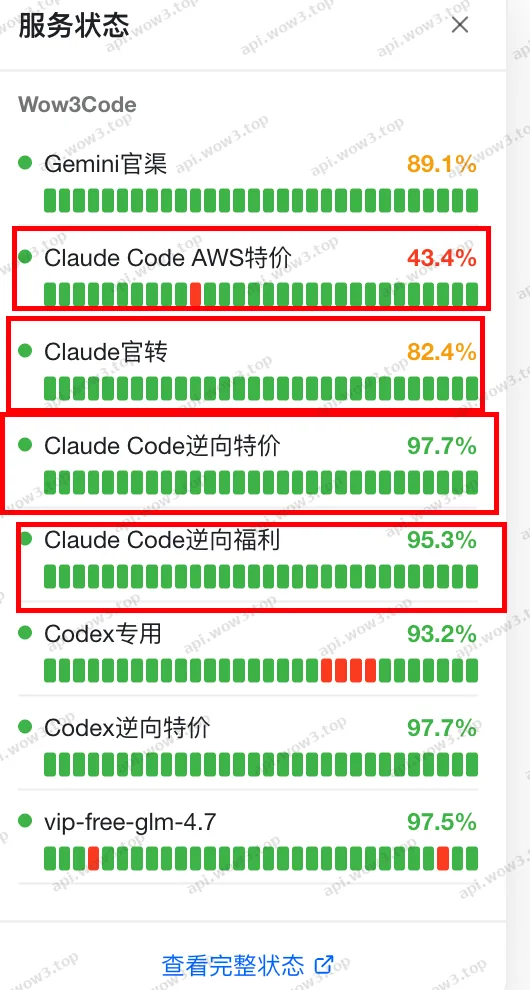
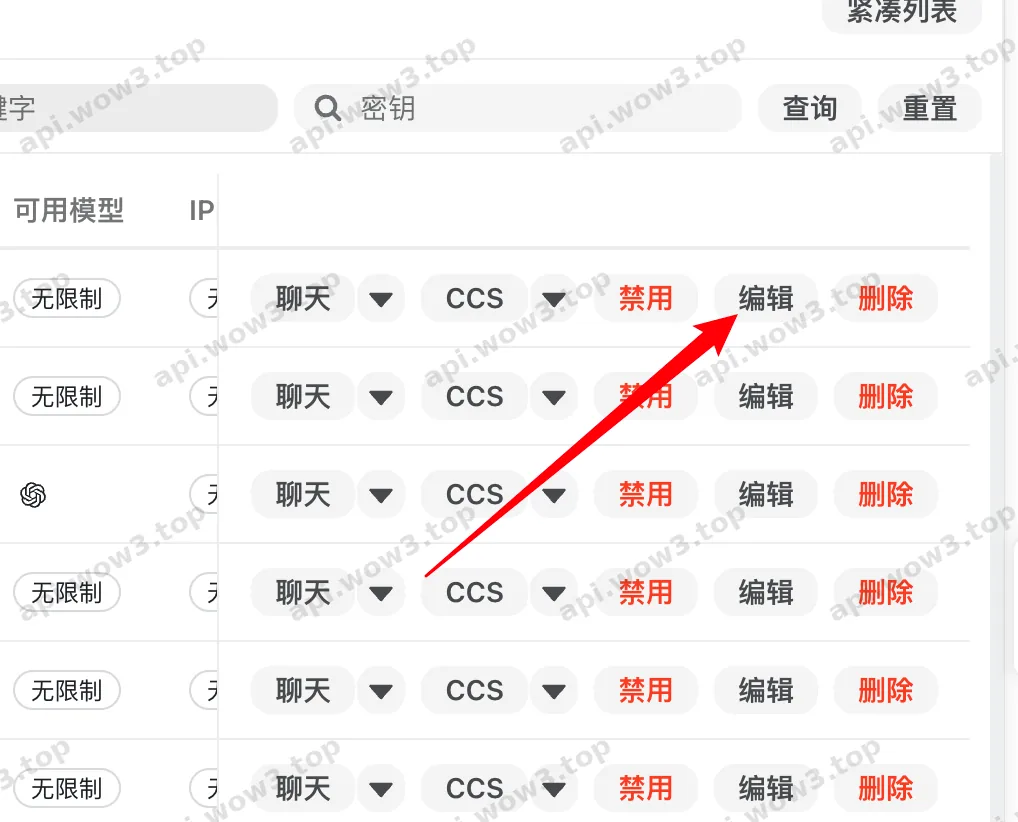
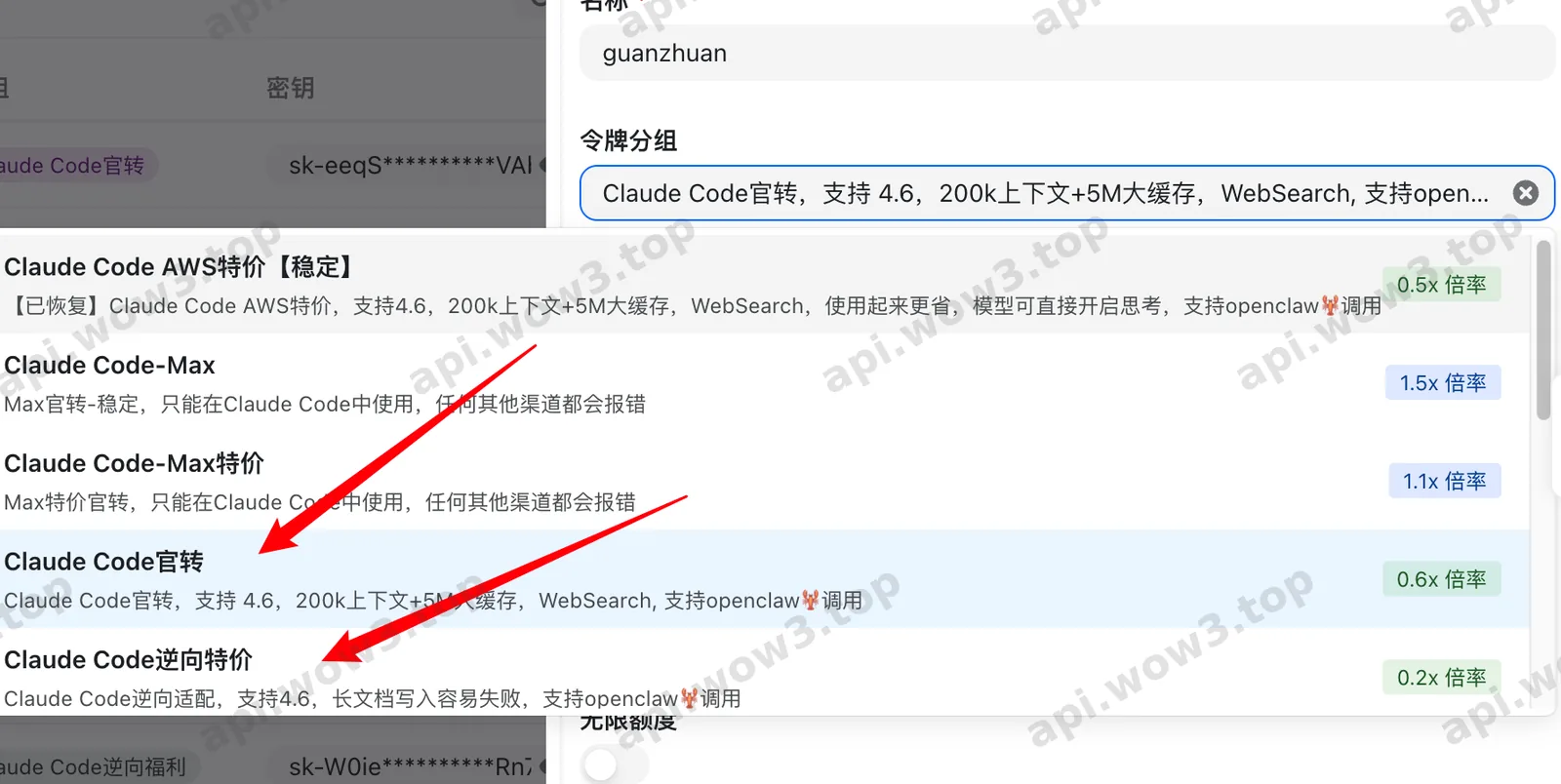
https://api.wow3-codes.top打开网站,查看右侧的渠道可用状态,并进行切换
使用
打开中转站 控制台添加key
创建key,选择模型分组:
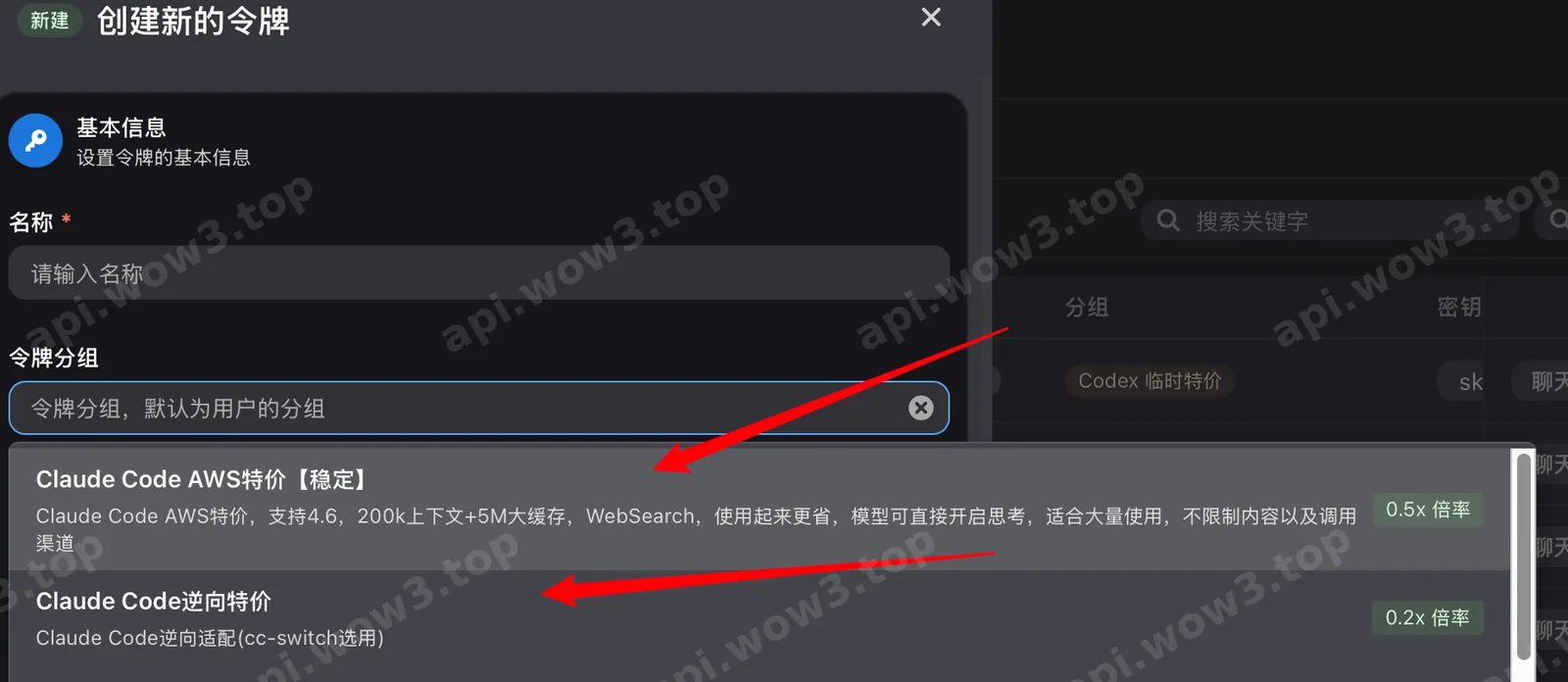
创建key
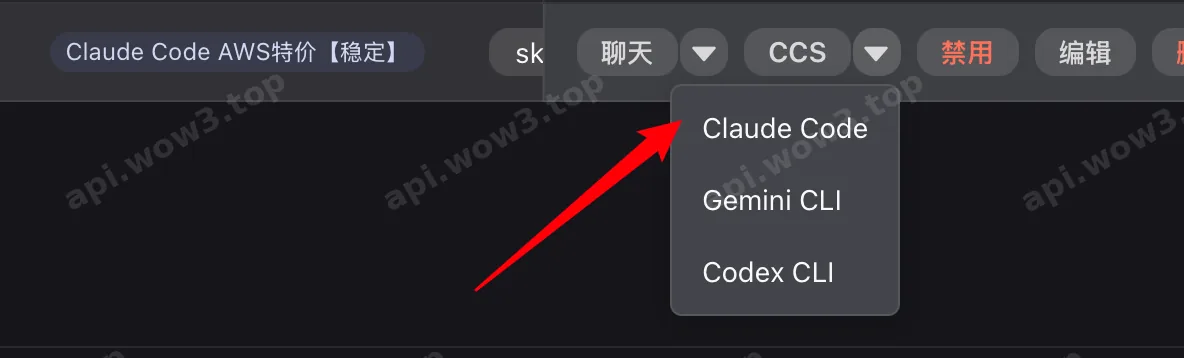
点击跳转打开CC-Switch导入key
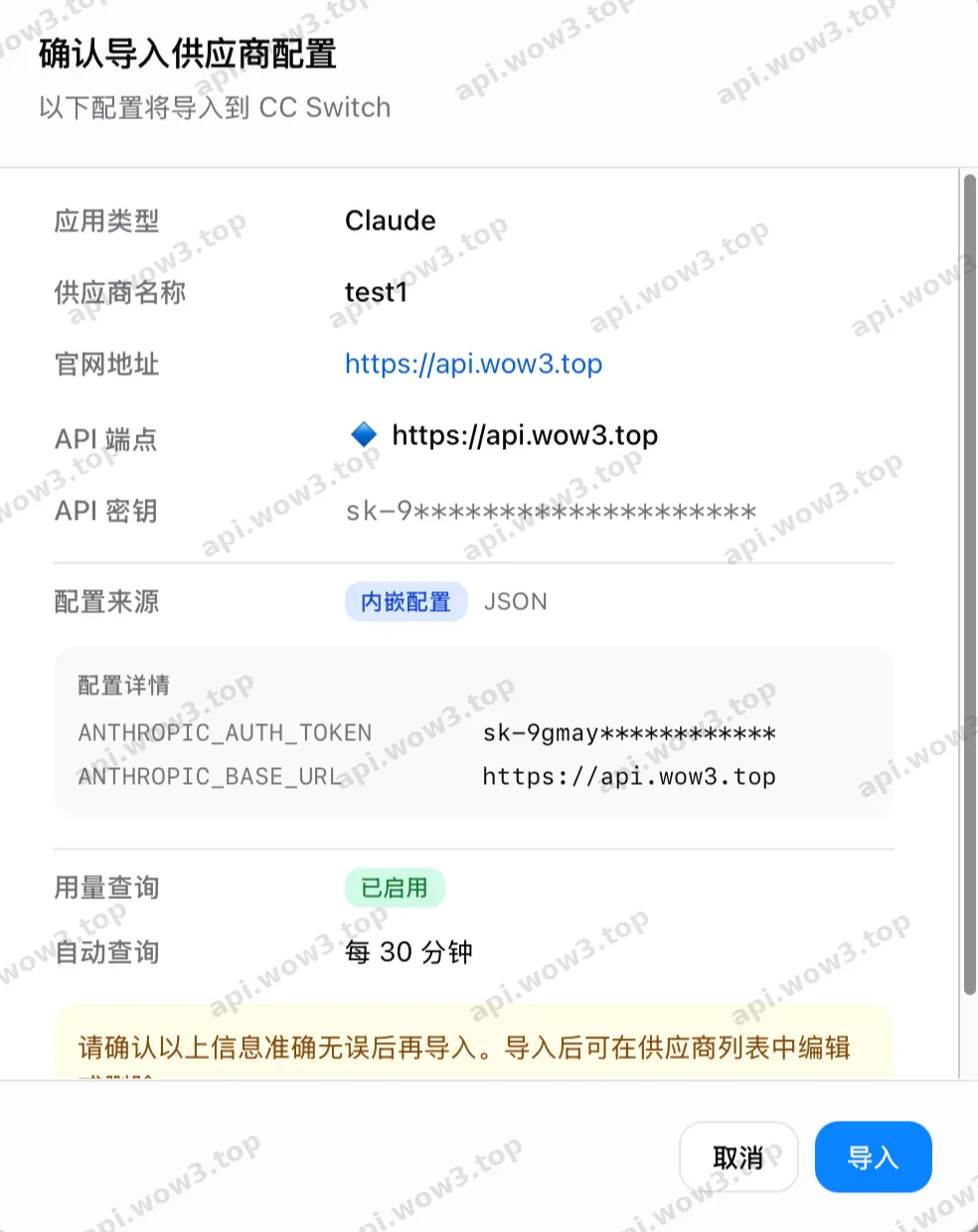
确定

mac/Linux的bash命令行启动
Windows使用powershell和cmd
Shell
claude服务器通过配置文件配置key
编辑 ~/.claude/setting.json
Shell
{
  "env": {
   "ANTHROPIC_AUTH_TOKEN": "你的key",
   "ANTHROPIC_BASE_URL": "https://api.wow3.top"
  }
}
Base urlkey使用下面两个都可以:
Shell
https://api.wow3.top
https://api.wow3-codes.top